
Core Web Vitals Explained for Small Business Websites
A small business website rarely gets a second chance. A visitor taps a link from a search result, waits, and leaves if the page stalls, jumps around or ignores the first tap. Google measures exactly these moments with a set of metrics called Core Web Vitals, and they have become one of the most useful health checks a local company can run on its site. The good news is that you do not need a developer on staff to understand them. Each metric answers one plain question about the experience of a real person: how fast does the main content appear, how quickly does the page react when someone clicks, and does the layout stay still while it loads. Google states in its Search Central documentation that it highly recommends site owners achieve good Core Web Vitals for success with Search, which makes them hard to ignore for any business that depends on customers finding it online. This guide explains what each metric means, how to check your own scores for free, which fixes usually make the biggest difference, and how to keep the numbers healthy after a redesign, a new plugin or a seasonal promotion changes your pages.
What the Three Metrics Actually Measure
Core Web Vitals currently include three metrics. Largest Contentful Paint, or LCP, tracks how long it takes for the largest visible element, usually a hero image or a headline block, to appear on screen. Interaction to Next Paint, or INP, measures how quickly the page responds visually after a click, tap or key press, across the whole visit rather than only the first interaction. INP replaced the older First Input Delay metric in March 2024, so guides that still talk about FID are out of date. Cumulative Layout Shift, or CLS, scores how much content moves unexpectedly, the familiar moment when a button slides away just as you try to press it. Google publishes a clear target for each one, shown in the table below, and a page counts as good only when it meets the target for at least 75 percent of page loads, measured separately for mobile and desktop visitors. That last detail matters more than it seems. A site can feel fast on the office computer with a strong connection and still fail on the phones that most customers actually use. Picture a trucking company comparing carrier dispatch software: the dispatcher may browse on a desktop, but the driver or owner-operator often opens the same page on a phone with a weak signal on the road, and a slow or jumpy page can lose that lead.
| Metric | What it measures | Good result |
|---|---|---|
| Largest Contentful Paint (LCP) | Loading speed of the main content | 2.5 seconds or less |
| Interaction to Next Paint (INP) | Response to clicks, taps and typing | 200 milliseconds or less |
| Cumulative Layout Shift (CLS) | Visual stability while the page loads | 0.1 or less |
How to Check Your Scores Without Paying for Tools
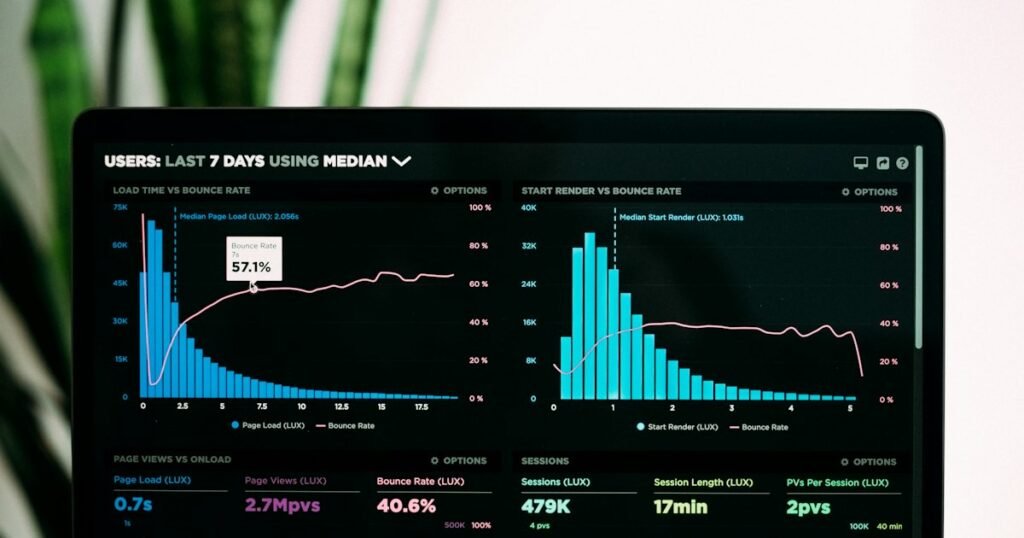
Two free Google tools cover most needs. PageSpeed Insights accepts any URL and shows two kinds of results. Field data comes from the Chrome User Experience Report and reflects real visitors over the previous 28 days, while lab data comes from a simulated Lighthouse test that runs on demand. Field data tells you what customers actually experienced. Lab data is better for debugging, because it lists the specific files and scripts that slow a page down. Newer or low traffic pages may not have enough visits to show field data at all, so the lab result becomes your main guide there. The second tool is the Core Web Vitals report in Google Search Console, which groups similar URLs and labels them as good, needing improvement or poor. Start with the pages that bring in money, such as the home page, the service pages and the contact page, rather than chasing a perfect score on every blog post. Many of the problems these reports reveal are the same ones described in our overview of common web design mistakes, so the two work well together as a practical checklist for your next round of improvements.
Fixes That Usually Make the Biggest Difference
For most small business sites, images are the first place to look. Exporting photos in a modern format helps a lot, and Google reports that WebP lossy images are 25 to 34 percent smaller than comparable JPEG files at equivalent quality. Lazy loading is useful for pictures further down the page, but the main image at the top should load right away. Google’s own testing on WordPress found that lazy loading only the images below the fold removed the LCP slowdown that lazy loading every image had caused. For layout shift, always give images and videos width and height attributes, and reserve space for banners, embeds and ads before they arrive, since Google names ads among the largest contributors to layout shifts on the web. Web fonts can also push text around while they load, so limit the number of font files and preload the ones used at the top of the page. INP problems usually come from heavy JavaScript, such as chat widgets, sliders and tracking tags that pile up over the years, and removing one unused plugin often does more than any setting. Server response time sets the floor for everything else, which is why the advice on choosing the right web hosting deserves a second look if your pages start slowly before a single image loads.
Keeping Your Site Fast After Launch
Speed is not a one time project. Every new plugin, embedded review widget or marketing pixel adds weight, and scores tend to drift down quietly until rankings or enquiries start to drop. A simple routine keeps that in check: test the key pages in PageSpeed Insights after any significant change, review the Search Console report once a month, and keep a short log of what was added and when, so a sudden drop can be traced back to its cause. It also helps to keep perspective. Google says it always seeks to show the most relevant content, even when the page experience is weaker, so a fast page with thin content will still struggle, and performance work should support good content rather than replace it. If the reports point to problems you cannot solve in house, a professional website performance review can identify the slowest scripts and templates and give you a prioritized list of fixes. Treated as a regular habit, Core Web Vitals turn a vague feeling that the site is slow into clear numbers that you can improve, measure and explain to anyone on your team.